



How VidIQ Helped Me Stop Guessing and Actually Grow My YouTube Channel
For almost eight months, I uploaded videos every single week and got nowhere. I’m talking single-digit view counts on videos I’d spent full weekends editing. My gaming commentary channel had 340 subscribers, half of whom were probably my cousins and old classmates doing me a favor. I genuinely thought I was doing everything right—decent mic, clean edits, consistent schedule. What I didn’t realize was that I was essentially shouting into a room with the door closed.
Nobody could before every upload; I had no idea how YouTube’s search and discovery system actually worked. That changed when a guy in a Discord server mentioned vidIQ. He’d grown his channel from 200 to 12,000 subscribers in about six months. I was skeptical—the internet is full of people selling YouTube growth “secrets”—but I figured I had nothing to lose by trying the free version.
Three months later, I had my first video hit 40,000 views. Here’s what I actually learned.
What vidIQ Actually Is (And What It Isn’t)
Before diving in, let me save you the confusion I had at the start. vidIQ is not a bot service. It doesn’t artificially inflate your numbers. It’s not going to magically make your bad videos perform well. What it is a research and analytics tool—like having a data analyst sitting beside you while you plan your YouTube content.
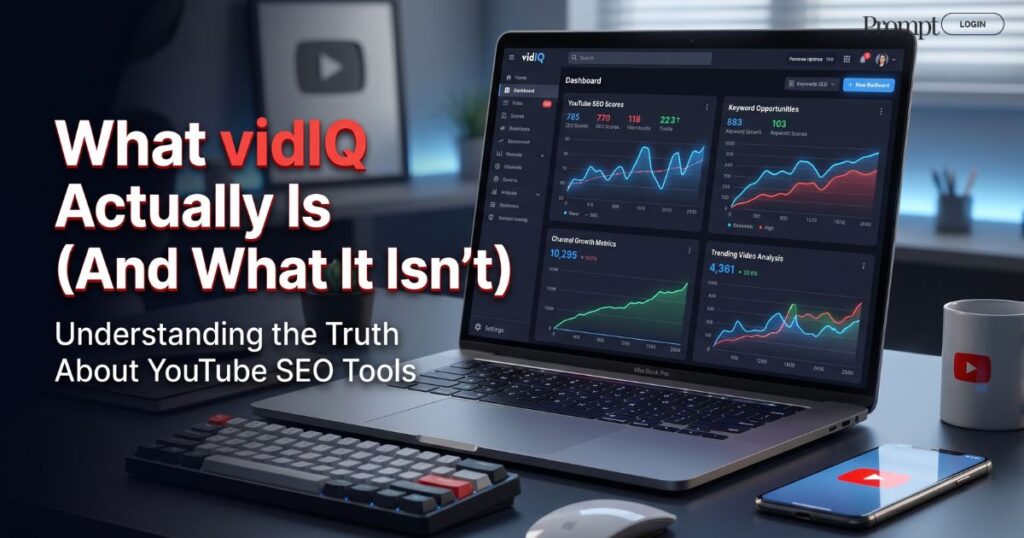
It plugs into YouTube as a browser extension, and it also has a full web dashboard where you can dig deeper into your channel’s performance.The browser extension is the part you’ll use most often at first. When you search for anything on YouTube, vidIQ overlays search volume and competition scores right on the results page. It sounds simple, but it completely changes how you think about titles and topics.
The keyword research feature changed everything.
Here’s the honest story of how I was doing keyword research before vidIQ: I wasn’t. I’d just title my videos whatever felt natural. “My Top 5 Gaming Setups” or “Trying Out the New Update” — stuff that sounded good to me but that nobody was actually typing into the YouTube search bar.
vidIQ has a keyword tool that shows you three things that matter more than anything else: search volume (how many people look for this per month), competition (how many videos already exist for this term), and a “keyword score” that basically tells you whether it’s worth going after.
The insight that changed my whole strategy was this: high search volume plus low competition equals a keyword worth targeting. Most beginners chase the big terms with millions of searches and get completely buried under established channels. vidIQ taught me to find the gaps — terms with solid search intent but few strong results on the first page.
My first intentional keyword win was a video about a specific settings optimization for a game that a lot of people in my niche were playing. The search term had maybe 8,000 monthly searches and only weak, outdated videos on the first page. vidIQ flagged it as a strong opportunity. I made the video, optimized everything around that keyword, and within two weeks, it was sitting at position three in YouTube search results.
That video brought in 4,200 views in its first month. My previous best had been 600.
Using the Competitor Analysis Tool Without Being Weird About It
One of vidIQ’s most underrated features is how easily it lets you study channels similar to yours. You can add competitors to a watchlist, get notified when they upload, see which of their recent videos are overperforming their channel average, and figure out what topics are resonating in your space right now. This isn’t about copying anyone. It’s about understanding demand. If three channels in your niche all suddenly made videos about a particular topic and each one got way more views than their usual content, that’s a signal. Something about that topic is resonating with an audience you both share.

The “channel pages” feature in vidIQ shows you the view velocity of any public YouTube video—how fast it’s picking up views over time. A six-month-old video that’s still gaining traction at a steady pace is almost always worth making a response or follow-up to, with your own angle and perspective. I found two mid-sized channels in my niche and added them to my VidIQ watchlist. Within a week, I noticed both of them had a video about a particular game mechanic pulling three to four times their usual views. I made my own take on it—a different angle, my own experience—and it became my second-best-performing video that month.
The SEO Scorecard: Brutal, But Useful
When you’re uploading a video and have the vidIQ extension active, there’s a scorecard in the sidebar that grades your optimization in real time. It checks your title length, whether your keywords appear in your description, how many tags you’ve added, and if your thumbnail file is named properly—stuff I had genuinely never thought about before.
My first few times using it, I was getting scores in the 40s and 50s out of 100. I thought I was doing decent work. Turns out I was leaving a lot on the table.
Here’s the optimization checklist I now follow every upload before:
Step 1 — Start with your primary keyword in the title. Not crammed in awkwardly — build the title around it so it reads naturally to humans but includes the exact phrase people actually search for.
Step 2 — Use the keyword at least twice in your description. Once in the first two lines (crucial—YouTube shows this in search previews) and once more naturally further down. Don’t just paste your title again; write something that actually describes the video.
Step 3 — Add 5 to 8 relevant tags, not 30 random ones. vidIQ’s tag suggestions are genuinely useful here. Less is more—stuffing tags is leftover advice from old YouTube SEO that no longer helps.
Step 4 — Name your thumbnail file descriptively. Most people save thumbnails as “thumbnail.jpg” or “image1.png.” Renaming it to include your target keyword is a tiny thing that vidIQ flags, and it does get picked up by YouTube’s metadata system.
Step 5 — Add a chapter with your keyword in the title. Chapters (timestamps) are indexed by YouTube. If one of your chapters is titled with a keyword phrase, that chapter can show up as its own search result in Google.
After I started consistently hitting scores of 70+ on the vidIQ scorecard, my average views per video nearly doubled. I’d made no other changes to my production style — only the optimization work.
The Daily Ideas Feature: The End of “What Should I Make Next?”
This one I slept on for too long. vidIQ’s Daily Ideas tool analyzes your channel — its content category, past performance, and audience data — and suggests topics to cover every single day. Each suggestion comes with estimated search volume, competition level, and a score for how well-suited the idea is for your channel specifically.
I used to spend Sunday afternoons paralyzed, trying to figure out what to make next. Now I open VidIQ’s idea feed, scan through the suggestions, and usually find two or three worth researching further. Not every idea is a winner, but having a data-backed starting point beats staring at a blank notes app.
The biggest time-saver wasn’t the analytics. It was just not having to guess what to make anymore.
One thing worth noting: treat the suggestions as a starting point, not a script. The ideas that perform best for me are ones where I take a vidIQ-suggested topic and apply my own specific angle or experience to it. Pure SEO content with no personality gets views but doesn’t build subscribers. You need both.
Free vs. Paid: What You Actually Need
I ran on the free plan for about two months before upgrading to Pro. Here’s my honest take on the difference.
The free plan is good for basic keyword research, the SEO scorecard, and the browser extension overlay. That’s actually enough to make a real difference if you’re just starting.
The Pro tier unlocks unlimited keyword searches, full competitor tracking, and the complete daily ideas feed. If you’re publishing at least once a week and starting to see what’s working, this is when the upgrade pays for itself.
The Boost plan adds AI-generated title and description suggestions, which are genuinely useful once your channel has enough data to draw from. Not a priority early on, but worth it once you’re scaling.
If you’re under 500 subscribers, stick with the free plan. The core workflow—research a keyword, optimize your video around it, check your score before uploading—is all available for free. Upgrade when you’ve built a consistent publishing habit.
Mistakes I Made That You Can Skip
Chasing high-score keywords regardless of topic fit. I made a video purely because a keyword had a great VidIQ score, even though the topic was only loosely related to my niche. It got decent views but almost zero new subscribers. Relevance to your audience matters more than raw search volume.
Optimizing old videos and expecting immediate results. Going back to update old underperforming videos with better titles, descriptions, and tags can help — but don’t expect overnight results. YouTube re-indexes slowly. Give it three to four weeks before judging whether it worked.
Over-relying on tags. Tags used to be huge for YouTube SEO. They still matter a little, but vidIQ’s own data shows that title and description keywords carry far more weight now. Don’t obsess over getting 30 perfect tags when your title is weak.
Ignoring the analytics section entirely. vidIQ’s analytics dashboard connects to your YouTube Studio data and presents some things more clearly than Studio does natively. The “views per hour” graph in the first 48 hours after upload is particularly useful for understanding whether a video is being pushed by the algorithm or dying on the vine.
Learn More: Can AdCreative.AI Actually Increase Your Ad Conversions? My Honest Experience
What VidIQ Can’t Do For You?
I want to be straight about this because too many YouTube growth articles oversell tools. VidIQ will not fix a boring video. It will not compensate for poor audio or a thumbnail nobody wants to click. It can get your content in front of the right people, but getting them to stay and subscribe is still entirely on you.
Think of it this way: vidIQ is like knowing which road to take to a destination. You still have to drive the car.
The tool tells you where demand exists and how to package your content so the right people can find it. Everything that happens on screen once someone clicks is your job. The channels I’ve seen use VidIQ most effectively are the ones that treat it as a feedback loop—use the data to plan, make the video, check the performance, and apply those learnings to the next one. That cycle, done consistently, is what builds a channel. vidIQ just makes each iteration smarter.
What Growth Actually Looked Like for Me
After three months of consistently using VidIQ’s keyword research and optimization workflow, my channel went from 340 to just over 2,100 subscribers. Not viral growth. Not the kind of number that gets you invited on podcasts. But real, earned growth from people who found my content genuinely useful.
More importantly, my average views per video went from roughly 120 to around 1,800. A few hit 10,000 or more. My watch time increased enough that I hit YouTube Partner Program eligibility and started earning ad revenue — not a living, but enough to reinvest in better equipment.
The thing that surprised me most was how much clearer my content strategy became just from using the tool regularly. When you spend time in VidIQ’s keyword research dashboard, you start developing a sense for what your audience actually cares about versus what you assumed they cared about. That mental shift alone was worth the subscription cost.
If you’ve been uploading consistently and not seeing the growth you expected, the problem almost certainly isn’t your content quality. It’s discoverability. That’s a fixable problem—and vidIQ is one of the most practical starting points for fixing it.
Written By Shahzaib Shah
Pinterest Account: Prompt Login | Digital Products & AI Tools

