


Why Digital Marketers Still Use WordStream in 2026
My Google Ads account was bleeding money every single month. Not dramatically — no catastrophic overnight spend, nothing that would trigger an angry call from a client. Just the slow, quiet kind of bleeding where you’re paying for clicks that never convert, keywords that sound relevant but aren’t, and match types you set six months ago and forgot to revisit.
I knew something was off. The numbers just never quite added up. But every time I opened Google Ads, I felt like I was trying to read a foreign language through frosted glass. The data was all there. I just couldn’t see the pattern.
A colleague who manages paid search for a mid-sized e-commerce brand mentioned WordStream almost as a throwaway. “I still use it for the weekly snapshot,” she said. “Nothing else gives me that view that fast.”
That was two years ago. I’ve been using it since, and I’ve also watched a decent number of other marketers either rediscover it or write it off too early. So here’s my honest take on why this tool—which some people assumed would fade out as Google’s native interface got better—is still showing up in serious marketers’ workflows in 2026.
First, A Quick Reality Check on “Native” Tools
Google Ads has genuinely improved over the years. The interface is cleaner, the recommendations are smarter (sometimes), and Performance Max has changed the game in certain verticals. So the obvious question is: why would you need a third-party tool layered on top of it?
Here’s what I’ve actually found: Google’s own recommendations are optimized for Google’s interests. That’s not a conspiracy theory — it’s just business. The platform will suggest raising budgets, expanding to broad match, and enabling auto-applied recommendations with a frequency that benefits spend volume more than your specific ROI goals.
WordStream sits outside that dynamic. Its suggestions are filtered through your account performance, not through what helps Google’s quarterly revenue. That sounds like a small thing. In practice, it changes every recommendation you see.
What WordStream Actually Does Well
The 20-Minute Work Week (And Why It’s Real)
The feature that got me hooked was the 20-Minute Work Week — WordStream’s weekly optimization workflow. It pulls your account data, identifies the highest-priority actions across keywords, bids, negative keywords, and ad copy, and walks you through them in a structured session.
When I first heard “20 minutes,” I assumed it was marketing fluff. It’s not.
The first time I ran through it, I found 14 search terms in one campaign that had been triggering my ads completely off-target. We were running a campaign for a B2B software client, and somehow “free download” queries were getting through. Those words were costing us roughly $200 a month in wasted spend — not visible anywhere obvious in the native Google Ads interface unless you knew exactly where to dig.
WordStream surfaced it in the first session. Twelve minutes.
The keyword tools are still genuinely useful.
I know what you’re thinking—in 2026, doesn’t every tool have keyword research? Yes. But WordStream’s keyword tool does something slightly different that I’ve found valuable: it shows you keyword performance data tied to actual campaign relevance, not just search volume.
Most keyword tools show you how many people search for something. WordStream also gives you a clearer picture of how competitive it is at the ad level, what the typical cost-per-click looks like, and — importantly — which keywords belong in the same ad group together. That last part matters more than people realize. Tightly grouped keywords mean better quality scores, which means lower CPCs.
For smaller accounts where every dollar counts, that’s not a marginal gain.
The Grade Report — Underrated and Actually Honest
WordStream has a free tool called the Google Ads Performance Grader. You connect your account, it runs, and it gives you a letter grade across multiple dimensions: quality score, impression share, wasted spend, mobile optimization, and more.
I’ve used this with clients who come in convinced their campaigns are running well. The grade report has killed that assumption more than once — politely, with data, in a format they can actually read without a paid search background.
One client had a B+ average overall but a D on wasted spend. That one slide opened a budget reallocation conversation that freed up about $1,500 a month to put into better-converting campaigns. It’s not magic — it’s just presenting the right data in a readable way.
How I Use WordStream Week-to-Week (Practical Breakdown)
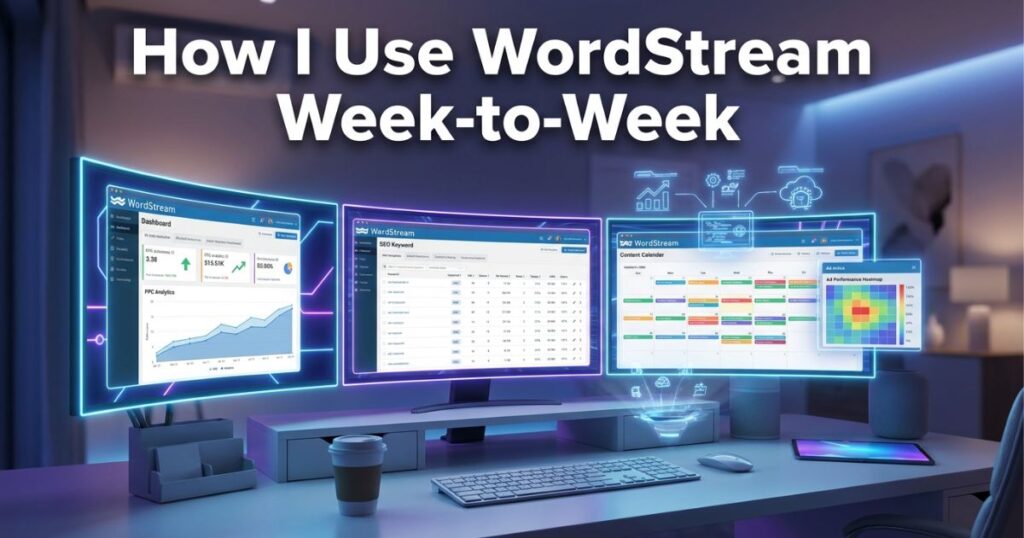
Here’s the actual workflow I’ve settled into:
Monday morning: Run the 20-Minute Work Week. I don’t do all the suggestions blindly—I review them, skip anything that doesn’t match the account strategy, and action the clear wins. Negative keyword additions almost always get done. Bid adjustments, I look at case by case.
Mid-month: Check the keyword performance dashboard. I’m looking for new keyword opportunities I haven’t tested yet and for anything bleeding spend with zero or near-zero conversions. WordStream makes it easy to sort by cost with no conversions — something you can do in Google Ads, too, but with more steps.
End of the month: Run the Performance Grader before pulling my client report. It gives me a clean third-party benchmark I can include in reporting. Clients who aren’t deeply familiar with Google Ads respond better to a graded report than to a raw data dump.
Ad hoc: Whenever I’m launching a new campaign, I use the keyword grouper tool to structure my ad groups before I even open Google Ads. Starting organized saves a significant amount of cleaning later on.
Mistakes I Made (That You Can Skip)
Treating every WordStream suggestion as a must-do. Early on, I applied suggestions too automatically. WordStream recommended expanding to some broader keyword variants that looked fine in isolation but didn’t fit what we were actually trying to capture. Spent about three weeks and a few hundred dollars figuring that out. Now I treat its recommendations as prompts, not directives.
Ignoring the negative keyword recommendations. These felt tedious when I was new to the tool. Big mistake. Negative keywords are where most small-to-medium accounts leak their budget. If you do nothing else in WordStream, do the negative keyword sessions.
Not connecting it early enough in a client relationship. I used to wait until I “knew the account” before running the grader. Now I run it in the first week. It establishes a baseline and immediately shows the client that there’s data-driven thinking behind the work, not just a gut feel.
Expecting it to replace strategic thinking. WordStream optimizes what’s already there. It can’t tell you if you’re targeting the wrong audience entirely, or if your landing page is killing conversions, or if your offer just isn’t compelling. Those problems live outside the tool. It’s a PPC optimizer, not a marketing strategist.
Who It’s Actually Built For in 2026
WordStream has always been positioned toward small-to-medium businesses and the agencies that manage them—and that positioning still makes sense.
If you’re managing a $50K+ monthly spend across dozens of accounts, you’re probably using a more enterprise-level solution. WordStream isn’t trying to be that.
But if you’re running campaigns for local businesses or SMBs or managing 5–15 client accounts at an agency without a massive team, WordStream fills a gap that Google’s native tools genuinely don’t. It’s the difference between having raw data and having that data organized into a decision.
I’ve seen it work particularly well for the following:
- Freelancers who manage multiple Google Ads accounts and need a faster audit workflow
- Small agencies where the account managers aren’t all PPC specialists
- In-house marketers at SMBs who run paid search alongside three other responsibilities
- Consultants who need clean, client-friendly reporting without building it from scratch
Learn More: What Is TextFX? Google’s Secret AI Writing Tool Every Writer Should Know
The Honest Part About Limitations
It doesn’t integrate deeply with Meta Ads or LinkedIn in the way some marketers now need. If a big chunk of your work is cross-channel paid social, WordStream isn’t your central hub.
The interface hasn’t undergone a dramatic redesign in a while. It works, but it doesn’t feel as modern as some newer tools. If you care a lot about UX aesthetics, that might bother you.
And it’s not free. There’s a cost attached, which means you have to honestly evaluate whether the time it saves and the wasted spend it identifies justify the subscription. For most accounts I’ve seen, it does, but do the math on your own numbers.
The Real Reason Marketers Keep Coming Back
Here’s what I think is actually going on, and it’s simpler than most tool reviews make it sound.
Managing Google Ads is genuinely hard to do well at scale when you’re not a full-time PPC specialist. The platform rewards those who optimize consistently — not brilliantly, not with some secret strategy, just consistently. Negative keywords are reviewed regularly. Bids adjusted based on performance. Ad copy tested. Quality scores were monitored.
WordStream makes consistent optimization possible for people who don’t have three hours a week to spend inside Google Ads’ native interface. That’s the whole value. Not magic, not AI that does everything for you — just a structure that makes the maintenance of paid search manageable.
That’s why it’s still here. That’s why it’ll probably still be in people’s workflows in another few years, even as the platform around it keeps changing.
If your Google Ads account has more than a few campaigns running and you haven’t done a proper audit in the last couple of months, run the free Performance Grader first. Takes five minutes, connects directly to your account, and gives you a starting point. You might already have a WordStream-shaped hole in your workflow that you haven’t noticed yet.

